
rednote
行吟信息科技(上海)有限公司Social
3.912.28K Reviews
- Version
- 9.54.0
- Installs
- 10.00M
- Age Rating
- Teen
Screenshots

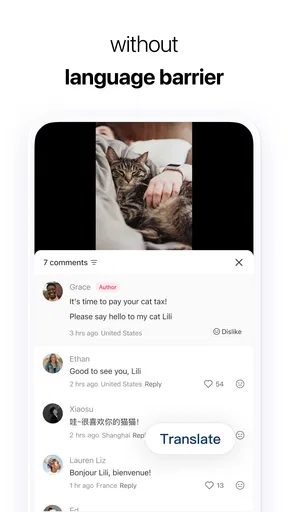
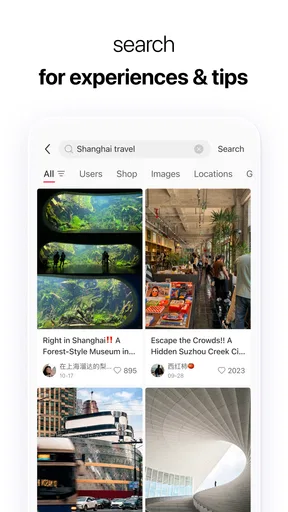
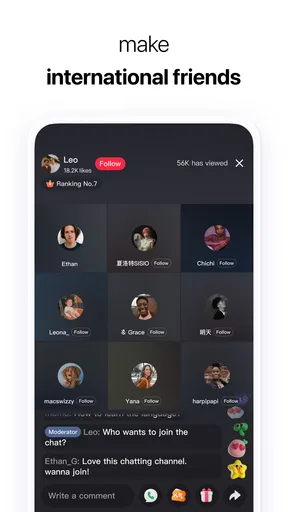

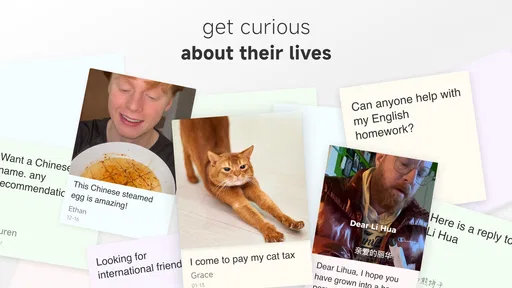

Our Review of rednote
 Analysis by Appyee
I want to start with an important distinction: rednote is a social app, not a music-clip utility. If you are choosing it because you want to share ideas, follow people and explore posts, that is the experience to judge it on. The name and the older write-up below point in a different direction, but they do not describe the app’s current identity. I would approach it as a place for browsing and connecting, and keep a separate music service for finding or sharing tracks.
What the social format is good for
Social apps are most useful when they help you find people and subjects worth returning to, rather than simply filling a feed. With rednote, I would use that lens: follow interests you genuinely care about, notice which creators offer useful context, and treat the home feed as a starting point rather than a definitive view of a topic. That habit makes a discovery-focused social space more rewarding and helps keep casual browsing from becoming endless scrolling.
A practical use case is planning a weekend activity. You might browse posts for local food ideas, save a few places that catch your eye, then share a post with a friend to compare options. Another is learning a hobby: following several creators can expose you to different approaches, while the comments may add questions or personal experience. The value lies in seeing ideas presented by people, not in assuming every post is a reliable guide.
Who will get the most from it
I can see rednote suiting people who enjoy discovering creators and conversations around their interests, especially if they like visual, social browsing more than a strictly chronological stream. It can also be useful when you want inspiration before making a choice, such as what to cook, where to go or what to try next. In those cases, I would use posts to build a shortlist and then check important details before acting on them.
It is less suited to someone who wants a quiet utility that solves one task and gets out of the way. If your priority is direct messaging, a tightly controlled feed, or dependable reference material, a dedicated messaging app, a chronological network or a specialist search tool may be a better fit. I would also think twice if you dislike social feeds that encourage browsing: the same stream that makes discovery easy can make it harder to stop when you only opened the app for one idea.
How I would use it thoughtfully
For a more useful feed, I would follow accounts because their posts consistently help or interest me, not just because one post went viral. I would also pause before sharing something that makes a strong factual claim. A popular post can still leave out context, and comments are best treated as perspectives rather than proof. That small check matters when a recommendation affects money, health or travel plans.
Another good habit is to make browsing purposeful. Before opening the app, decide whether you are looking for inspiration, checking in with creators or sharing something with a friend. If I find a useful idea, I would capture the detail I need in a personal note rather than assume I will remember where it appeared in the feed. This turns casual discovery into something I can actually use later.
What is rednote?
Rednote is a unique app designed to help you share music snippets seamlessly. Think of it as the perfect blend of song discovery and social sharing. With Rednote, you can clip parts of songs and send them to friends, add them to your social media, or simply save them for later. It's like having a little DJ booth in your pocket.
Getting Started
Getting started with the app is as straightforward as it gets. Once you’ve downloaded it from the App Store or Google Play, you can sign up using your email or social media accounts. The user interface is clean and intuitive, which I appreciated right off the bat. No unnecessary clutter, just straight to the music.
Exploring the Features
One of the standout features of Rednote is its ability to search and clip music. You can search for your favorite tracks, and with a few taps, clip a 15-second portion to share. It's perfect for those moments when words just aren't enough, but a song says it all.
The app also integrates seamlessly with your social media platforms. You can link your accounts and share clips directly to your stories or feeds. Imagine the fun of sending a musical "good morning" to your friends with just the right tune!
Another cool aspect is the ability to discover new music. Rednote offers a "Trending" section where you can see what others are clipping and sharing. It's like having a finger on the pulse of the latest musical trends.
The User Experience
Using Rednote is a breeze. The app runs smoothly without lag, and the transitions between screens are fluid. I loved how the developers have clearly focused on making the app user-friendly. The design is sleek, and the functionalities are easily accessible without digging through menus.
The audio quality of the clips is superb. I was pleasantly surprised at how clear and high-quality the snippets sounded, even when shared on social media. It's like having a studio-quality clip at your fingertips.
Potential Improvements
No app is perfect, and while Rednote is fantastic, there are a couple of areas that could use a little polish. Firstly, the search functionality could be a bit more robust. I found that occasionally, some tracks were harder to find, especially lesser-known indie songs.
Additionally, while the app integrates well with social media, it would be great to see more options for customization in the clips. Maybe the ability to add text overlays or stickers could add a bit more personality to the clips.
What to expect from the current release
The current version is 9.43.0, and the app has been available since December 24, 2014. That history gives it time to develop an established social presence, but version numbers alone do not tell me which screens or tools changed between releases. I would not infer a particular feature from the version number; I would instead judge the app I can use now and check its current interface before relying on a specific workflow.
For existing users, the sensible approach is to keep expectations grounded in what appears in their own installed version. Updates can change details such as navigation or feed presentation, so if an instruction from an older guide no longer matches, look for the same task through the current menus rather than assuming the app has stopped supporting it. That is especially useful for people returning after a break.
Scale, cost and practical trade-offs
rednote is free to download, with in-app purchases listed from $0.49 to $364.99 per item. I would treat any purchase as optional rather than a requirement for trying the social experience, and review the price shown in the app before confirming anything. The wide range makes it particularly sensible to pause and understand exactly what an item offers before spending, especially if a younger family member uses the device.
The app has more than 10 million installs and an average rating of 3.8 from around 204,000 ratings. Those figures suggest a sizeable audience alongside a mixed reception, not a guarantee that every person will enjoy the same feed or community. I would use the app for a few sessions and decide based on the quality of the posts and interactions I encounter, rather than treating popularity as proof of personal fit.
Its Teen content rating is also worth considering when deciding who should use it. For a younger user, I would discuss what they share publicly and how they handle messages or comments, then review the available account and device settings together. For adults, the same basic caution applies: share only what you are comfortable having associated with your social profile, and be selective about personal details.
Choosing it over other social apps
Compared with a messaging app, rednote is better approached as a place to discover and browse, not as a substitute for a private conversation with a specific person. Compared with a fast-moving general social feed, its appeal depends on whether the interests and creators you follow give you material worth exploring. If you mainly want to keep up with friends’ brief updates, a network built around that habit may feel more direct; if you want inspiration from posts beyond your immediate circle, a discovery-oriented app may be a better match.
That difference changes how I would share. For a quick decision between two dinner ideas, I might send a post to a friend, then move the actual conversation to the messaging tool we both use. For a subject I want to revisit, I would keep a note of the creator or search phrase instead of expecting a passing feed item to remain easy to locate. These small choices make the app more useful without asking it to replace every other social tool.
Questions worth settling before you commit
If you are wondering whether you need to pay to explore it, the app is free to download, while optional in-app purchases have a broad listed price range. If you are wondering whether it suits a teen, its Teen rating is a starting point, not a substitute for talking about privacy and reviewing settings together. And if your main goal is sharing music snippets, the older description below may sound appealing, but I would not choose the current social app on the assumption that it works as a dedicated song-clipping tool.
One more useful question is whether you can control the experience enough to enjoy it. I would try the feed with a clear purpose, follow only accounts that add something, and step away if recommendations begin to feel repetitive or distracting. If the posts do not reflect your interests after a fair trial, another social network—or a non-social source designed for your particular task—will probably serve you better.
Final Thoughts
Overall, Rednote is a delightful app for music lovers and anyone who enjoys sharing snippets of their life soundtracked by their favorite tunes. It’s easy to use, fun, and brings a fresh twist to the way we interact with music and social media. If you’re looking for an app that combines music discovery with social sharing, Rednote might just be the perfect download for you.
So, if you're ready to spice up your music sharing game, give Rednote a try. It's free to download, so what have you got to lose? Dive into the world of musical expression and enjoy sharing your life's soundtrack with the world!
Privacy and Permissions
See what permissions an app requests and how it handles your data.
- Identity
- find accounts on the device, add or remove accounts
- Calendar
- read calendar events plus confidential information, add or modify calendar events and send email to guests without owners' knowledge
- Contacts
- find accounts on the device, read your contacts
- Location
- approximate location (network-based), precise location (GPS and network-based)
- Photos/Media/Files
- read the contents of your USB storage, modify or delete the contents of your USB storage
- Storage
- read the contents of your USB storage, modify or delete the contents of your USB storage
- Camera
- take pictures and videos
- Microphone
- record audio
- Wi-Fi connection information
- view Wi-Fi connections
- Other
- view network connections, create accounts and set passwords, read battery statistics, change network connectivity, connect and disconnect from Wi-Fi, expand/collapse status bar, control flashlight, full network access, change your audio settings, control Near Field Communication, read sync settings, draw over other apps, use accounts on the device, control vibration, prevent device from sleeping, toggle sync on and off, install shortcuts
Verdict
Strengths of rednote
- Intuitive user interface, easy to navigate.
- Wide variety of music genres available.
- Offline access to saved playlists.
- High-quality audio streaming.
- Regular updates with new features.
Limitations of rednote
- Limited free version features.
- Occasional app crashes reported.
- Requires constant internet for streaming.
- Ads can be intrusive in free version.
- Some features locked behind paywall.
Similar Picks in This Category
View All
Meta Platforms, Inc.4.6

Instagram4.0

Likee-Live, Chat & Party Games
Likeme Pte. Ltd.4.4

Facebook Lite
Meta Platforms, Inc.4.5

TikTok - Videos, Shop & LIVE
TikTok Pte. Ltd.4.0

Moj: Free Short Drama & Reels
ShareChat4.1
Frequently Asked Questions
What is Rednote and how does it work?
Rednote is a unique app that lets users add short music clips to their text messages, enhancing communication with a touch of melody. The app integrates with your messaging platform, allowing you to search for music clips by mood, genre, or artist, and seamlessly attach them to your messages to enrich the conversation.
Is Rednote free to use, or are there any in-app purchases?
Rednote is free to download and use, providing access to a wide range of music clips. However, the app offers in-app purchases for premium features, such as an expanded library of exclusive clips and the ability to create personalized sound bites. Users can enjoy basic functionalities without any cost.
On which devices and platforms is Rednote available?
Rednote is available for both Android and iOS devices, ensuring compatibility with a wide range of smartphones and tablets. Users can download the app from the Google Play Store or the Apple App Store, making it accessible to nearly all mobile users who enjoy adding a musical touch to their messages.
How does Rednote ensure the quality of its music clips?
Rednote partners with licensed music libraries to provide high-quality, copyright-compliant clips. The app's curated selection ensures that users have access to crisp, clear audio that enhances their messages. Regular updates to the library keep the content fresh and relevant, with new clips added frequently.
Can I use Rednote with all messaging apps?
Rednote is designed to integrate with most popular messaging apps, including SMS, WhatsApp, and Facebook Messenger. While the app aims for broad compatibility, users should check specific app settings to ensure optimal functionality and to verify that the music clips attach correctly to their chosen messaging platforms.
